

Project Gorgon: How To Swim Down And Dive Underwater
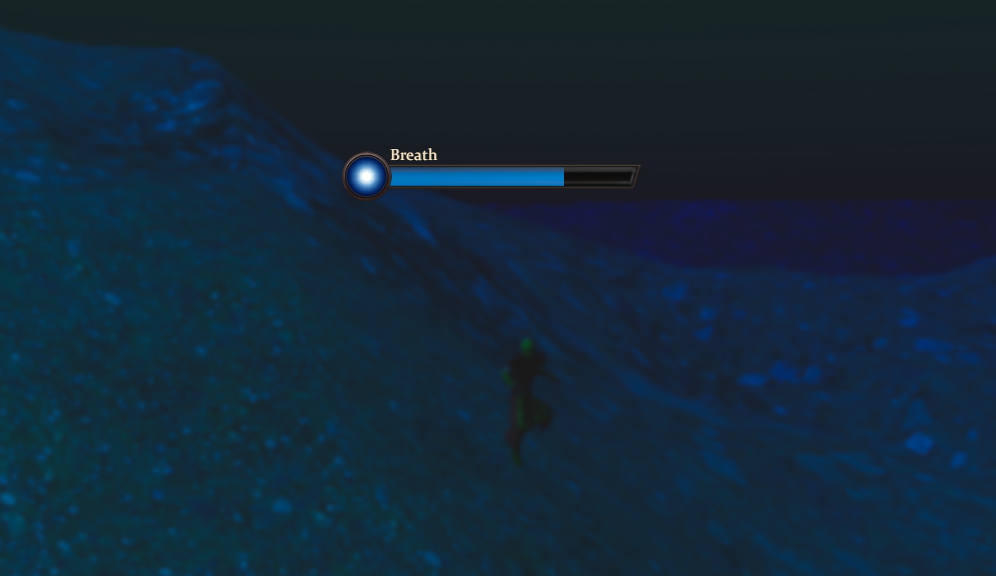
To swim down in Project Gorgon, hold the F key while in water. To swim upward, hold the Spacebar. These two keys control vertical movement while swimming.
If you only move forward and backward, you will stay near the surface. You must use the vertical controls to properly dive.
Basic Underwater Controls Explained
Once you enter deep enough water, your character automatically begins swimming. From there:
Hold F to swim downward
Hold Spacebar to swim upward
You can still use your normal movement keys to move forward, backward, and side to side while adjusting depth.
Common Mistakes When Trying To Dive
Many players try to look down and move forward, which does not always push you deeper. The game requires the dedicated descend key.
If you are not going lower:
Make sure the water is deep enough
Hold F instead of tapping it
Confirm you are in swim mode, not standing
If you float back up, hold F longer to counter upward momentum.
When You Need To Swim Down
Diving is required for certain quests, underwater exploration, and hidden items. Some objectives are placed below the surface and cannot be reached without using vertical swim controls.
Once you understand the keybinds, underwater movement becomes smooth and easy.
Final Note
Swimming down in Project Gorgon is simple once you know the controls. Hold F to descend and Spacebar to rise. Use both together with normal movement keys to navigate underwater areas cleanly and reach hidden objectives.
For more, check out our Project Gorgon Hub page.